
They fill in Orbit Performance
They read the ERP and enter targets and actuals in the KPIs, every day. The manager only approves.
Orbit Automation
Install a ready-made agent or describe what it should do. At first it only shows what it would do; you approve; every step stays in the audit trail. Works with IFS, Protheus, Sankhya, Omie, SAP and other ERPs.
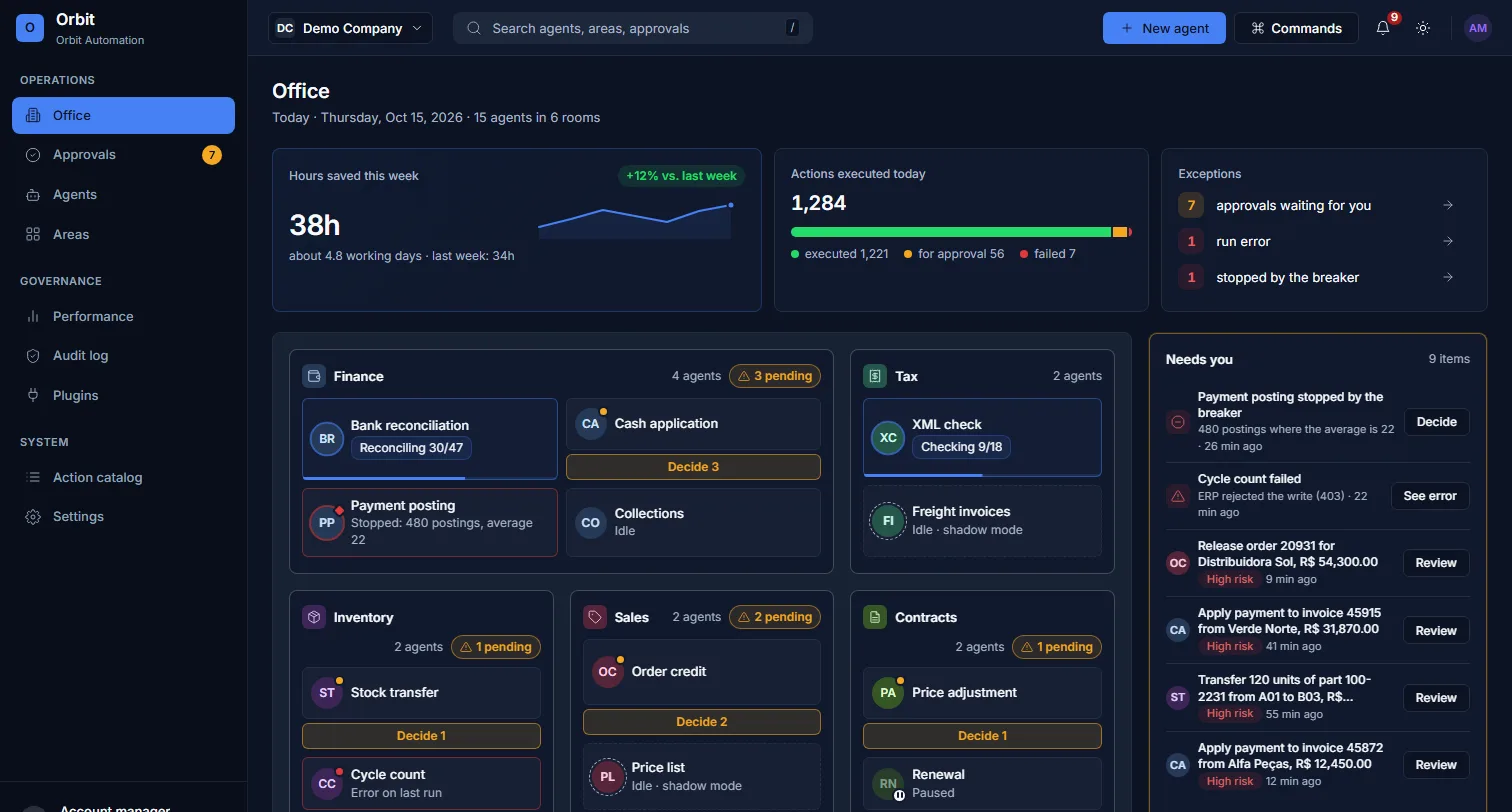
The Office: each department is a room, each agent a desk
It is the home screen of Orbit Automation, in the demo company. Finance, tax, inventory, sales, contracts and purchasing, each with its agents. The reception shows what needs you: pending approvals, agents with errors and the hours saved this week.
Reads and writes in your systems through their APIs (ERP, bank, spreadsheets and others), with the integration user you create and encrypted credentials. If you move from IFS 10 to IFS Cloud, or change ERP, the agent stays; only the connection changes.
Pick a ready-made model (finance, tax, inventory, sales, contracts, targets) or describe what the agent should do.
See what each agent did and approve what needs you.
Your ERP data is not stored in Automation: it reads on demand, uses it and returns the result to the ERP. What stays is the record of what was done: who asked, who approved and a summary of what was written. The exception is bank reconciliation: when it is on, the statement and the reconciliation result are stored. When AI takes part, the needed excerpt goes to the AI provider contracted by BI Smart, only to produce the answer; it may process outside Brazil, with the safeguards the LGPD requires. BI Smart does not train any model on your data.
They read the ERP and enter targets and actuals in the KPIs, every day. The manager only approves.
They explain the variance and build the report leadership asks for.
The ERP connected to banking, payments, tax and CRM, with automatic bank reconciliation.
At first they only show what they would do (that is shadow mode); you approve; every step stays in the audit trail.
Automation fills in the actual, Performance lights up the status and opens the action. A KPI’s automatic source only switches on when Automation is contracted.
On request
The price depends on how many agents and systems come in. A 30-minute conversation gives the order of magnitude. The ERP link is included.
Already a customer? Sign in to Orbit Automation
Tell us your case or ask for a demo. We reply within one business day with the next step.